NEW: Affirm, Zip, smarter shipping zones, and more
We’ve released another round of updates to CartGenie, including new Affirm and Zip payment integrations, better tools for building postal-code-based shipping zones (including much-requested region support!), and a number of smaller improvements across checkout, orders, and product setup.
As always, we’ve also included a solid batch of bug fixes to make things smoother behind the scenes.
👇 Everything below is live now and included on every plan – free or paid.
Affirm (BNPL) Integration

Your customers can now pay over time using Affirm, giving them more flexibility at checkout while you still receive the upfront payment.
Affirm is available through Google Pay Express, making it easier for eligible customers to choose a buy now, pay later (BNPL) option without adding extra friction to the checkout flow. This can be especially helpful for higher-value purchases where spreading payments out may improve conversion rates.
Zip (BNPL) Payment Integration

We’ve also added support for Zip, another buy now, pay later option available through Google Pay Express.
This gives your customers another familiar way to split up their payments while helping reduce hesitation at checkout. For stores selling products where payment flexibility matters, adding more options like Zip can make it easier for shoppers to complete their purchase.
Postal Code Wildcard Prefix Support for Shipping Methods
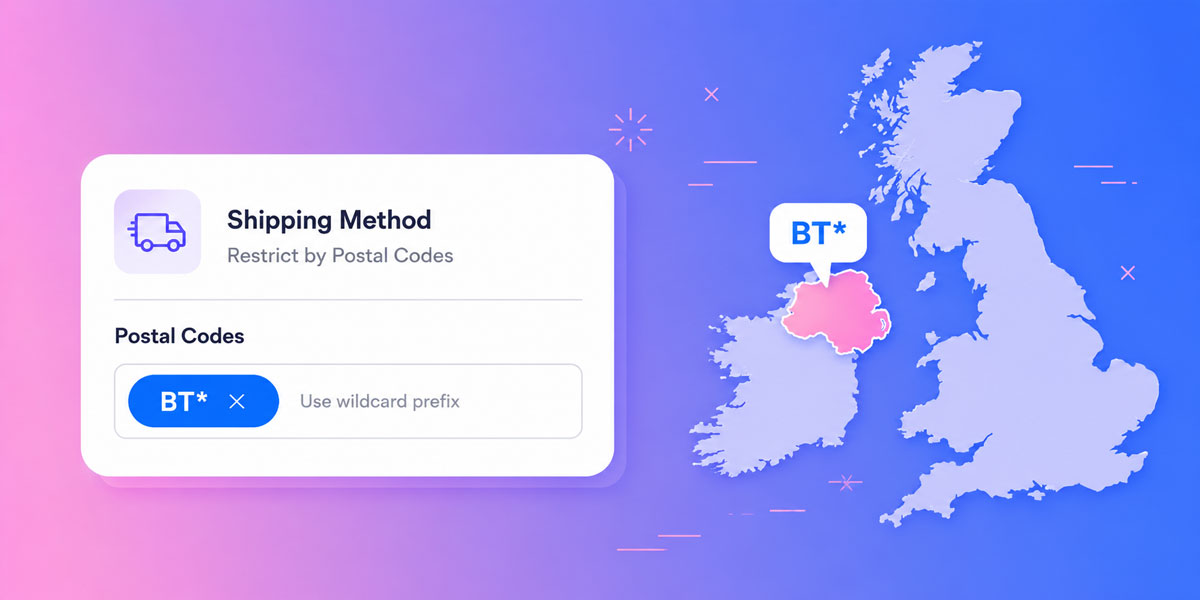
You can now use wildcard prefixes when restricting shipping methods by postal code, making it much faster to cover entire regions without entering every code manually.
For example: using BT* can cover all Northern Ireland postal codes (all BT codes are in that region), from BT1 through BT94. This is especially useful when shipping regions follow predictable postal code patterns and you want a faster, cleaner way to configure shipping availability.
Paste in Long Lists of Postal Codes for Bulk Adding
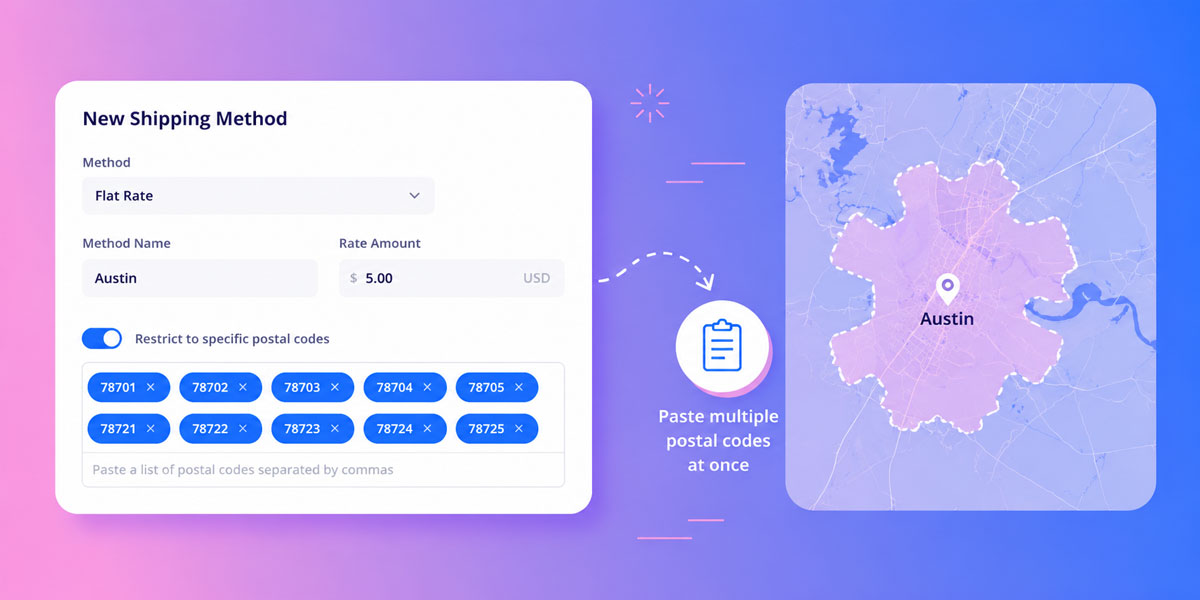
You can now paste in large comma-separated lists of postal codes when creating shipping restrictions.
This makes setting up zip-code-based shipping zones much quicker than before, especially if you already have a list from another system, carrier, spreadsheet, or fulfillment partner. Instead of adding them one by one, you can now paste them in all at once.
🪄 Other Recent Improvements
Custom fields as order list columns
Custom fields from checkout can now be viewed in their own column on the Order list page. This makes it easier to scan and sort order data without needing to open each order individually.
Optional phone field at checkout
The phone field is no longer required for customers to complete a purchase. If you want to require it again, you can do that by adding a custom attribute to the field.
Read Our Guide
Fulfilled emails for non-shippable items
You can now choose whether to send an order fulfilled email to customers for non-shippable items as well. This gives you more control over how digital or service-based orders are communicated.
Webflow forms inside the product page section
You can now place a Webflow form inside the cg-section on the product page without interfering with the add-to-cart flow, as long as the required custom attribute is added.
Read Our Guide
Make any optional checkout field required
You can now make any optional checkout field required. This is useful when you’re using custom checkout fields and need to make sure customers cannot skip important information.
Read Our Guide
Customizable Download button text
You can now change the “Download” button text in your Order Download email from the Communications Settings dashboard. This gives you a bit more flexibility over the wording in your customer emails.
Rename option values without losing settings
You can now rename option values while keeping their connected settings like image, price, and other individual data. Previously, changing the name required deleting the value and creating a new one.
–
Thanks again for building with CartGenie. This release adds more ways to help customers pay, faster ways to manage shipping restrictions, and a number of practical improvements across checkout, orders, and product setup.
What features would you like to see next?